Stage Tracker
Track how each person entered the pipeline at the time their touchpoint was created.
The Stage Tracker controls whether touchpoints capture the origin type (Lead, Contact, or Opportunity) at the moment they are created. This value is stored in the touchpoint's Touchpoint Position field.
Accessing Stage Tracker
- Navigate to the Attribution Configuration tab
- Click the Settings tab
- Find the Stage Tracker section
How It Works
When enabled, each touchpoint records how the person entered the pipeline — as a Lead, Contact, or through an Opportunity. This is set once at creation and never changes, preserving the exact point in the buyer journey.
| Origin | Touchpoint Position |
|---|---|
| Lead added to Campaign | Lead |
| Contact added to Campaign | Contact |
| Contact with open Opportunity | Opportunity |
When disabled, the Touchpoint Position field is left empty.
Enabling / Disabling
Toggle the Stage Tracker switch on or off and click Save Settings.
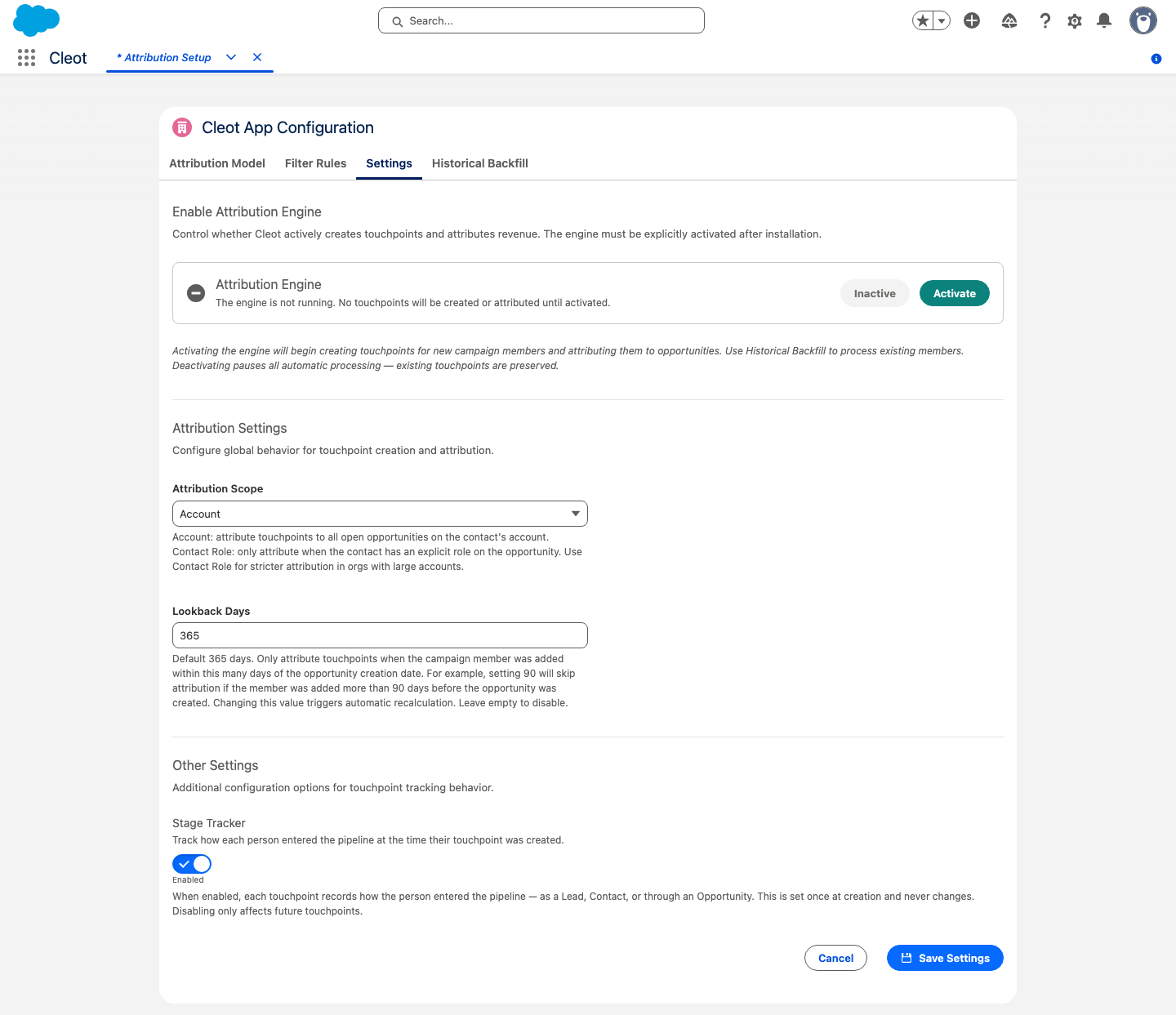
- Enabled (default): New touchpoints capture the origin type
- Disabled: New touchpoints have no position value
The Touchpoint Position is set once at creation and never changes. This preserves the exact point in the buyer journey when the campaign interaction occurred.
Changes only affect future touchpoints. Existing touchpoints retain their original position values.