How It Works
This page gives a high-level overview of how the Cleot Attribution App tracks campaign interactions and connects them to your pipeline and revenue.
The Cleot Home page summarizes the current state of your attribution setup — engine status, active model, and filter rules:
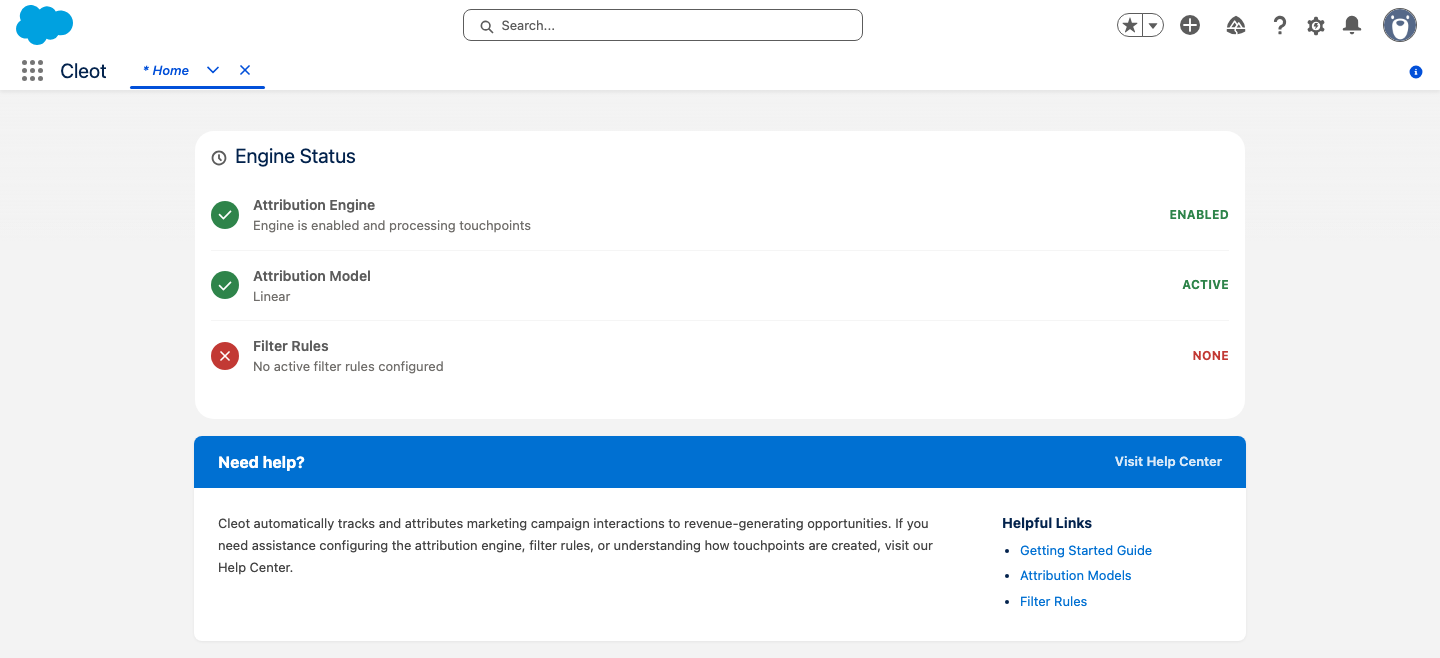
All automation described below requires the Attribution Engine to be enabled. The engine ships disabled after installation and must be activated in Settings > Enable Attribution Engine. See Post-Install Setup for details.
Touchpoints
A Touchpoint is a record that represents a single campaign interaction. When a Lead or Contact is added to a Campaign, the app automatically creates a touchpoint to capture that interaction.
- Lead touchpoints are created with Status =
Createdand are not yet linked to any Opportunity. - Contact touchpoints are linked to the Contact's Account. If the Account has open Opportunities, the touchpoints are attributed to those Opportunities automatically.
Example
A Contact "Alice" is added to your "Spring Webinar" Campaign. Her Account "Acme Corp" has a $100,000 open Opportunity. The app creates a touchpoint linking Alice, the Campaign, and the Opportunity — and distributes the appropriate share of revenue based on the active attribution model.
Attribution
Attribution connects touchpoints to Opportunities at the Account level. When a new Opportunity is created, the app finds all active touchpoints on that Account and attributes them to the Opportunity.
Example
Account "Acme Corp" has two Contacts who each attended a campaign. When a $60,000 Opportunity is created on the Account, both touchpoints are attributed to it. Using the Even model, each receives 50% credit ($30,000).
Amount Distribution
The active Attribution Model determines how an Opportunity's value is divided across its touchpoints:
- Even — Equal credit to every touchpoint.
- Position-Weighted — More credit to the first and last touchpoints, less to the middle.
- Time-Decay — More credit to touchpoints closer in time to the Opportunity.
Example: Even Model
A $200,000 Opportunity with 4 touchpoints:
| Touchpoint | Weight | Amount |
|---|---|---|
| Campaign A | 25% | $50,000 |
| Campaign B | 25% | $50,000 |
| Campaign C | 25% | $50,000 |
| Campaign D | 25% | $50,000 |
Example: Position-Weighted (40/20/40)
The same $200,000 Opportunity:
| Touchpoint | Position | Weight | Amount |
|---|---|---|---|
| Campaign A | First | 40% | $80,000 |
| Campaign B | Middle | 10% | $20,000 |
| Campaign C | Middle | 10% | $20,000 |
| Campaign D | Last | 40% | $80,000 |
When an Opportunity's Amount changes or it moves to Closed Won, the amounts on each touchpoint are automatically recalculated.
Lead Conversion
When a Lead is converted in Salesforce, the app automatically transitions all of the Lead's touchpoints to the resulting Contact and Account. If the Account has open Opportunities, the touchpoints are attributed to them.
Example
Lead "Jane Smith" has 2 touchpoints from attending two campaigns. She is converted to a Contact on Account "Acme Corp," which has a $50,000 open Opportunity. Both touchpoints are re-parented to the Contact and Account, and attributed to the Opportunity with $25,000 each (Even model).
The original Lead reference is retained on each touchpoint for audit purposes.